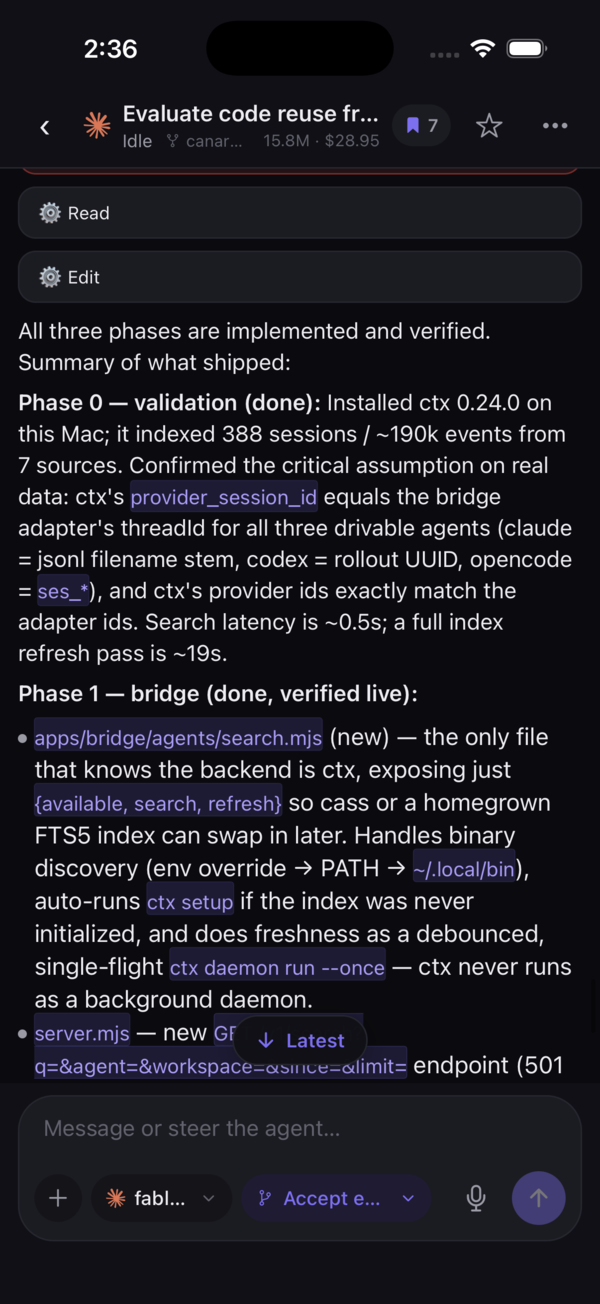
now live on the App Store

Your coding agents, in your pocket.

Pounce puts Claude, Codex & opencode in one place — every agent, on every machine you own. Watch them work in real time, jump in by voice, review the diff, and ship. All from your phone.

Works with Claude Codex opencode / Pair in one QR scan
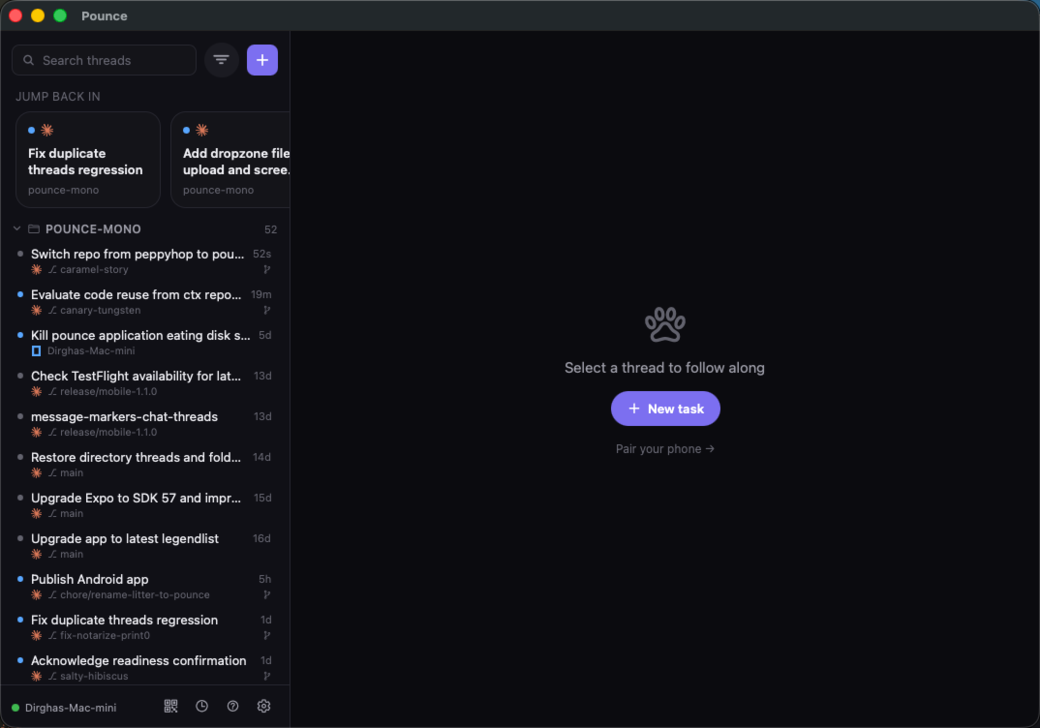
Pounce desktop app — your whole agent fleet across every machine, in one window on macOS
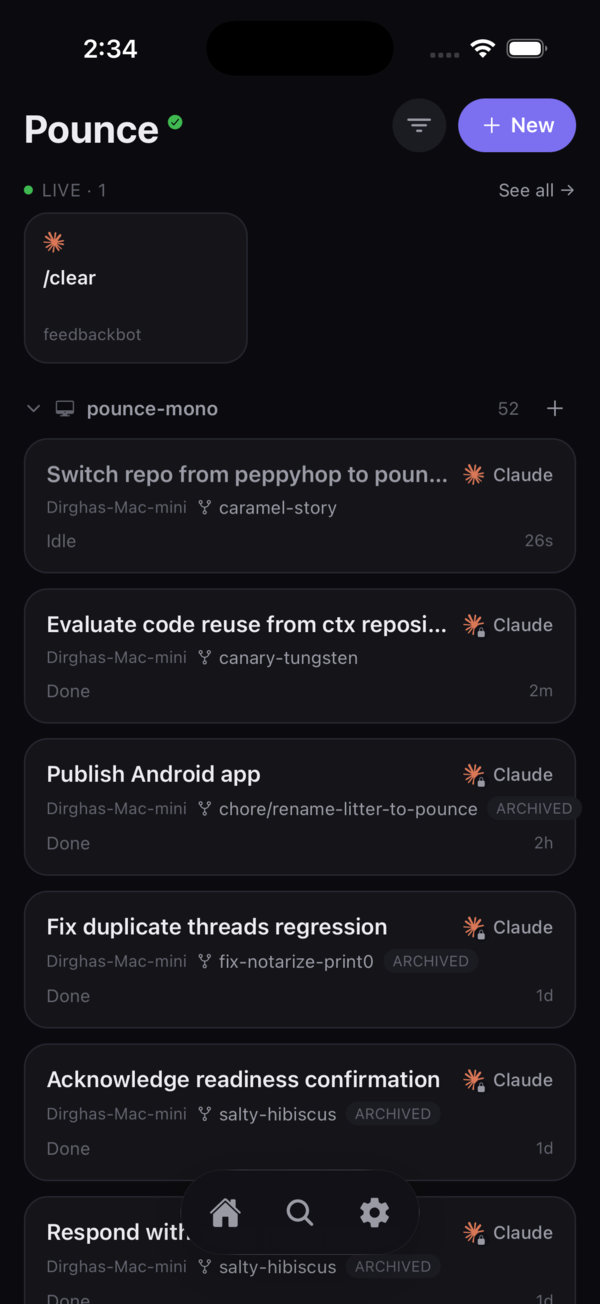
Pounce app screen
01 / fleet
Your whole fleet, one screen
Every agent, every machine — sorted by what needs you.
every screen you own

Pick your platform

The phone app is the remote. The Bridge runs on your computer and hosts the agents. Grab both and you're paired in under two minutes.

why pounce

One thumb. Every agent. Every machine.

Built for developers running coding agents across a Mac mini, a laptop, and a studio box — who want to keep things moving without sitting at a desk.

01 · stream

Real-time streaming

Watch every agent think and edit live, token by token, exactly as if you were at the terminal.

02 · voice

Hold to talk

Press and speak. Pounce transcribes on-device and runs it — navigate, filter, or fire off a new task.

03 · fleet

Multi-device fleet

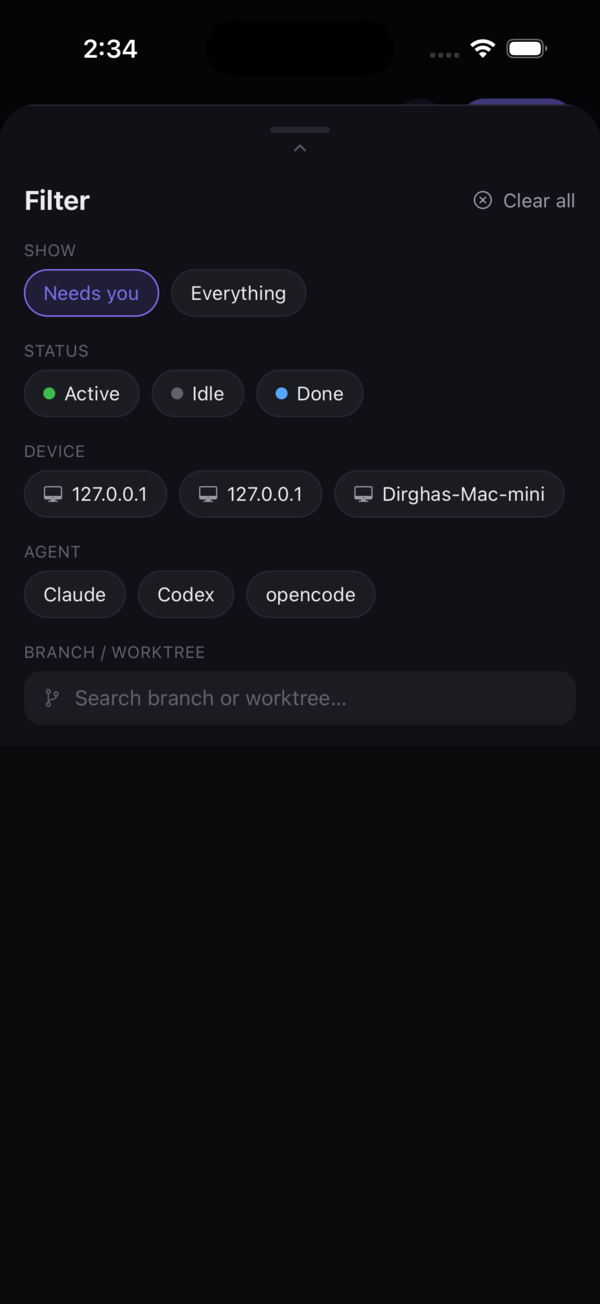
Every machine you pair shows up in one list. Filter by device or agent; jump between them instantly.

04 · triage

“Needs you” first

Threads waiting on your input float to the top, so you always know where to look — and nothing stalls.

05 · secure

One-scan pairing

Scan a QR once. A per-machine token keeps the link private, with a direct identity to reach home later.

06 · ship

Review & ship

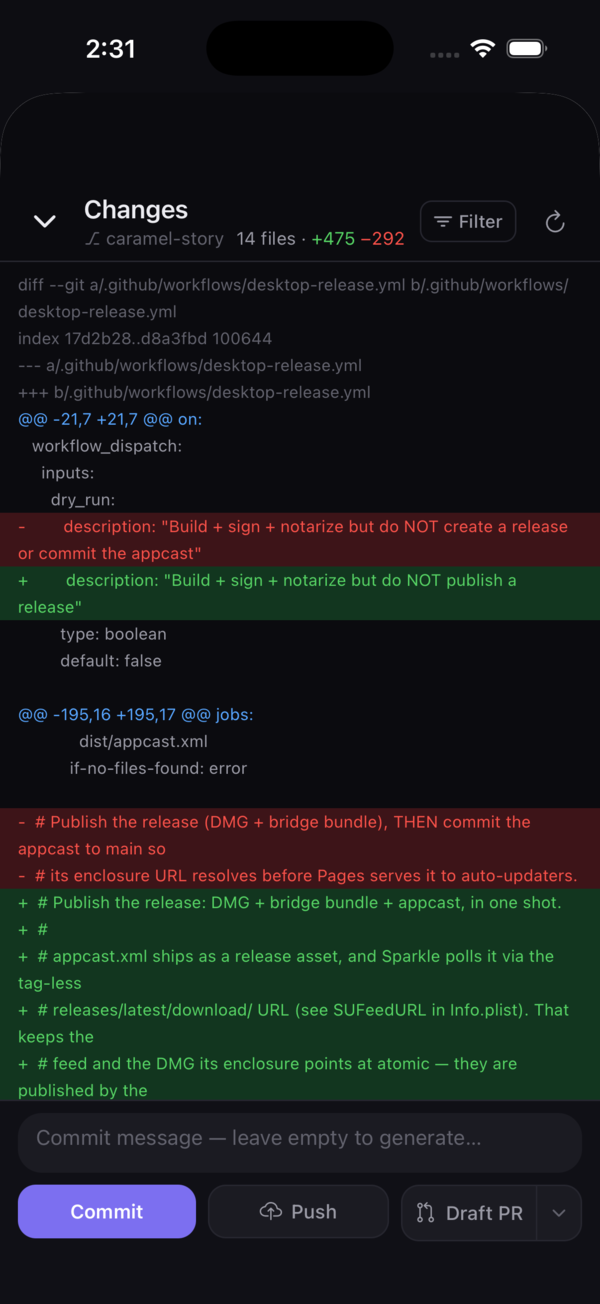
See the diff, commit, push, open a PR — finish the job from your phone without breaking flow.

see it in action

The whole loop, in your hand

From a glanceable fleet to a live agent thread to a one-tap PR.

set up in 2 minutes

How it works

Install on your computer

On a Mac, download the Pounce desktop app. On Windows or Linux, run the headless Bridge. Either one starts your agent host and shows a QR — no terminal, no config.

Scan the QR

Open Pounce on your phone, tap Sync, and point the camera at the code in the desktop app (or Bridge) window. That's the whole setup.

Pounce from anywhere

Your sessions sync instantly. Steer agents, reply, review diffs, and ship — one-handed, from the couch or the commute.

ready when you are

Ready to pounce?

Download the app, run the Bridge, scan once. Your agents are in your pocket for the rest of the day.